 FROG
FROGFor people who work best under pressure
Know what matters. Give it less time. Get it done.
FROG picks the one task to do first, gives it a tighter deadline than you would, and keeps time while you finish it.
iPhone, iPad and Android. No account. No subscription.
Estimate 2 h→Sprint 60 min·Deadline 17:00, unchanged
Why another app
You don't need a longer to-do list. You need a reason to start.
Too many choices
A list of forty tasks makes every one of them optional. FROG shows you one, and says why it's the one.
Too much time
Work expands to fill the time it's given. An afternoon becomes an afternoon. A 60-minute sprint becomes 60 minutes.
Too much guilt
Streaks and red failure screens make the next start harder. FROG never scolds you for running over or putting something off.
How it works
Three steps, every time.
-
STEP 1
Eat the frog first.
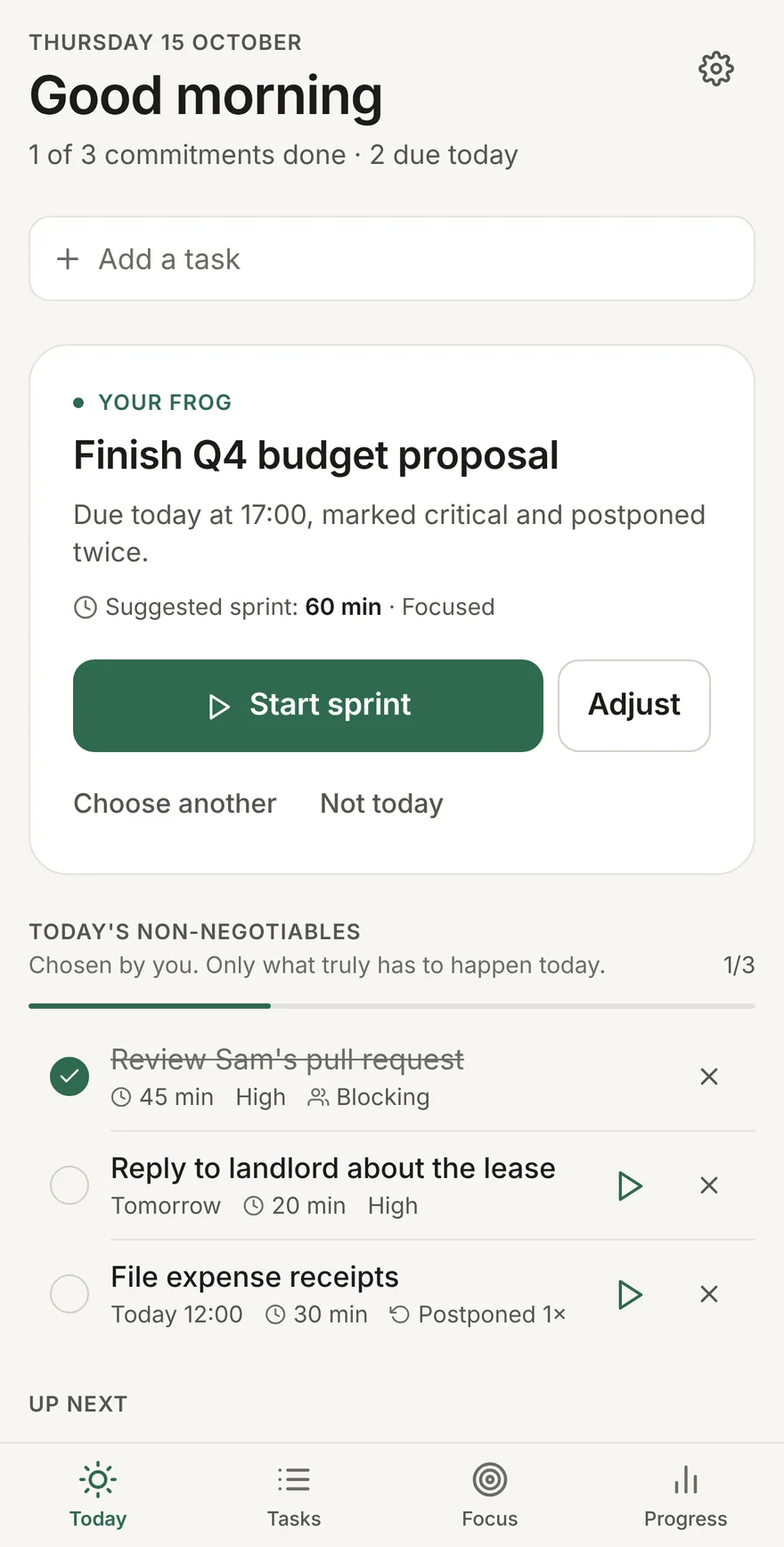
Each day FROG picks your frog: the task that matters most right now, with the reason in plain words.
- Weighs importance, how close the deadline is, how often you've put it off, and whether anyone is waiting on it
- Choose another, or set it aside for today. You stay in charge
- Pick up to three non-negotiables for the day
-
STEP 2
Give it less time.
Tell FROG how long something would normally take. It hands you a tighter sprint, so you get the deadline pressure you work best under, without moving the real deadline.
Try it. These are the same rules the app uses.
-
STEP 3
Then get it done.
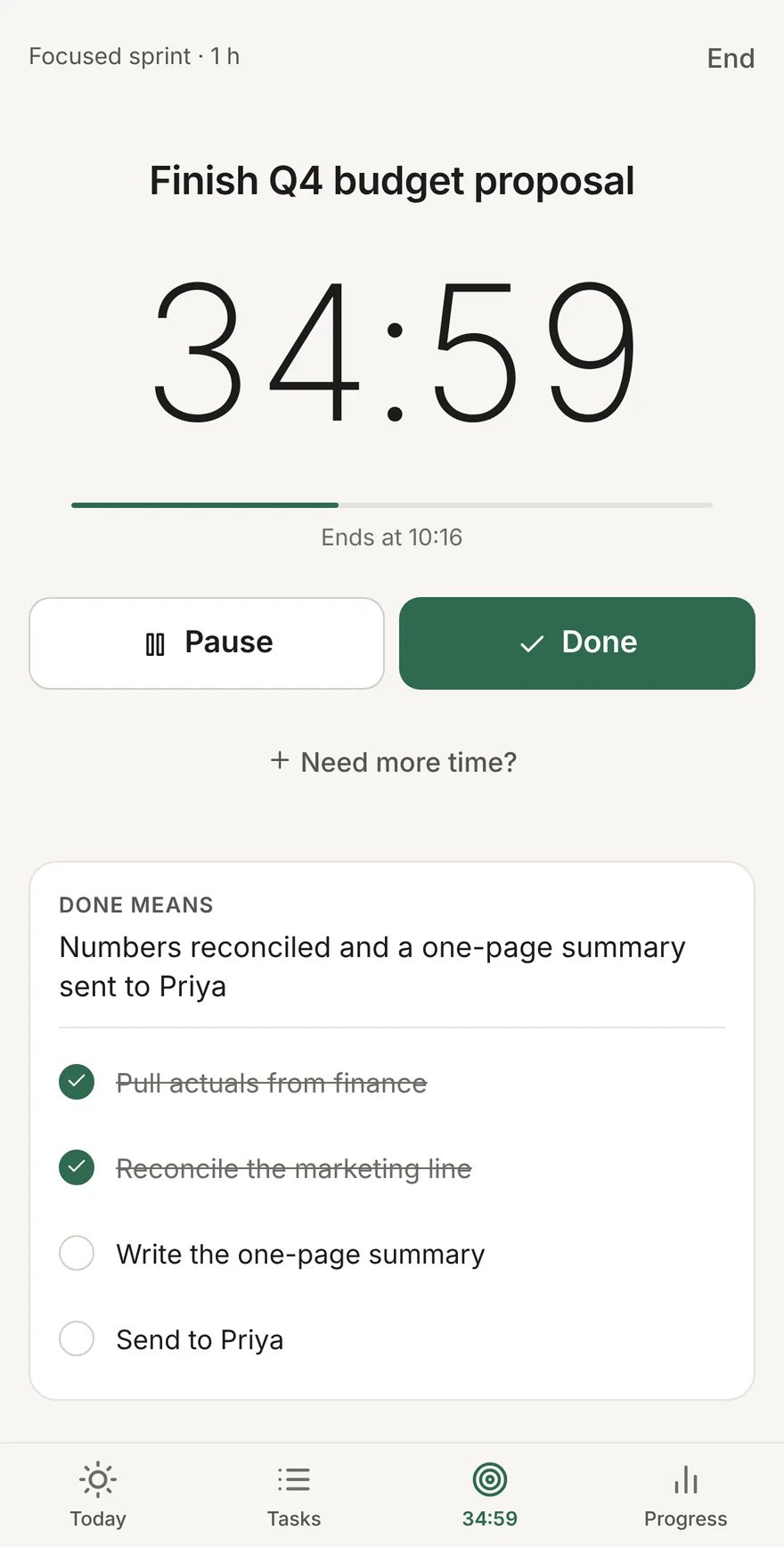
One tap starts a calm countdown that keeps exact time when you switch apps, lock your phone or restart it.
- Your definition of done and checklist stay on screen
- A notification when time's up, and a mini-timer everywhere else in the app
- At zero, you decide: finish, extend on purpose, or rethink the plan
The details
Small things that make starting easier.
Capture in plain words
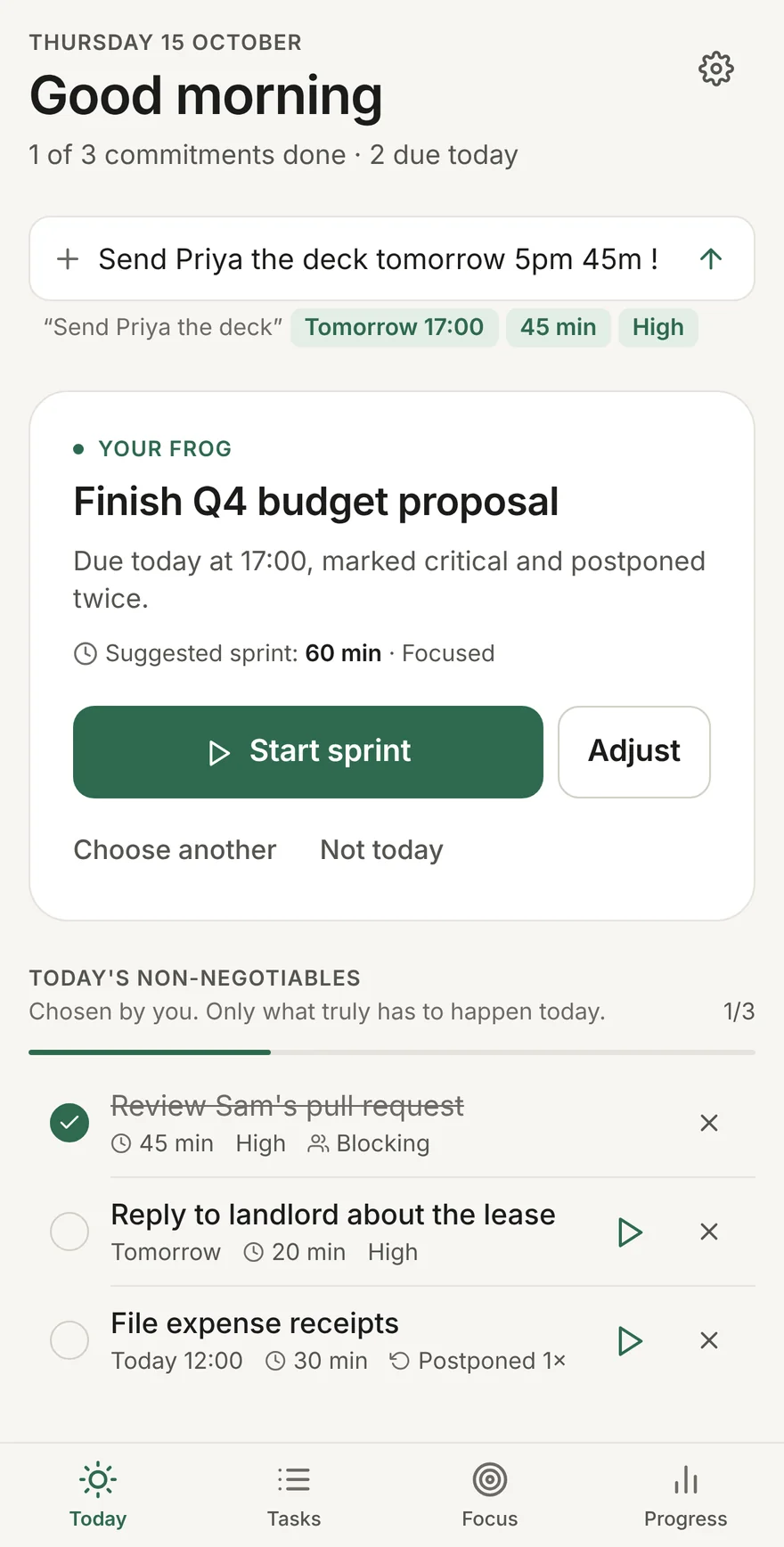
Send Priya the deck tomorrow 5pm 45m !
Time's up, without guilt
+3:02
No streaks to break and no failure screens. Running over is information, and extending on purpose is fine.
Learns your pace
After a few sessions, if sprints keep feeling too short or too generous, FROG suggests a gentler or tighter level and tells you why.
Progress from real data
Planned against actual time, results by pressure level, and insights that only appear once at least three sessions back them up.
Everything can be undone
Deleted a task or stopped a session by mistake? Tap Undo and it's back exactly as it was.
Light, dark and accessible
Both themes meet WCAG AA contrast. Screen reader labels throughout, and motion respects Reduce Motion.
Private by design
Your tasks are nobody's business.
FROG has no accounts and no servers holding your data. Everything you type stays on your phone. There's nothing to sign up for, so there's nothing to leak.
- No accountOpen it and start. No email, no password, no sign-in.
- No trackingNo analytics, no advertising identifiers, no tracking code of any kind.
- On your deviceTasks, sessions and reflections are stored locally. Deleting the app deletes them.
- The app sends nothingNo network requests at all. Report a bug from Settings and it opens an email in your own email app, for you to send. Read the privacy policy.
£9.99Once. Not per month.
Pay for it once and it's yours.
- Every feature, on iPhone, iPad and Android
- No subscription, no ads, no in-app purchases
- Works offline, with no account
Prices may vary by country. Purchases and refunds are handled by Apple and Google.
Questions
Before you buy.
Is there a subscription?
No. FROG is a one-off purchase of £9.99. There are no subscriptions, in-app purchases or ads.
How is this different from a Pomodoro timer?
A Pomodoro timer gives every task the same 25 minutes. FROG decides which task to start, then sizes the sprint to that task and your pressure level, so a two-hour job and a ten-minute job don't get the same treatment.
Does it sync between my phone and tablet?
Not yet. Your data stays on the device you use it on. Keeping everything local is what lets FROG work without an account.
What happens if I run over?
FROG tells you time's up and asks what you'd like to do: mark it done, extend on purpose, or rethink the scope or schedule. It never marks a session as failed, and your real deadline never changes.
Does it work offline?
Yes. FROG never needs a connection. It doesn't make any network requests.
Something isn't working. How do I tell you?
In the app, open Settings and tap Report a bug. Or see the support page.